Create a New Product
What is The Product Screen?
It is your point of reference for all the items to be sold at your studio:
- retail items
- workshops
- class packages
To open the product screen, click Assets from the top menu, then select Products. 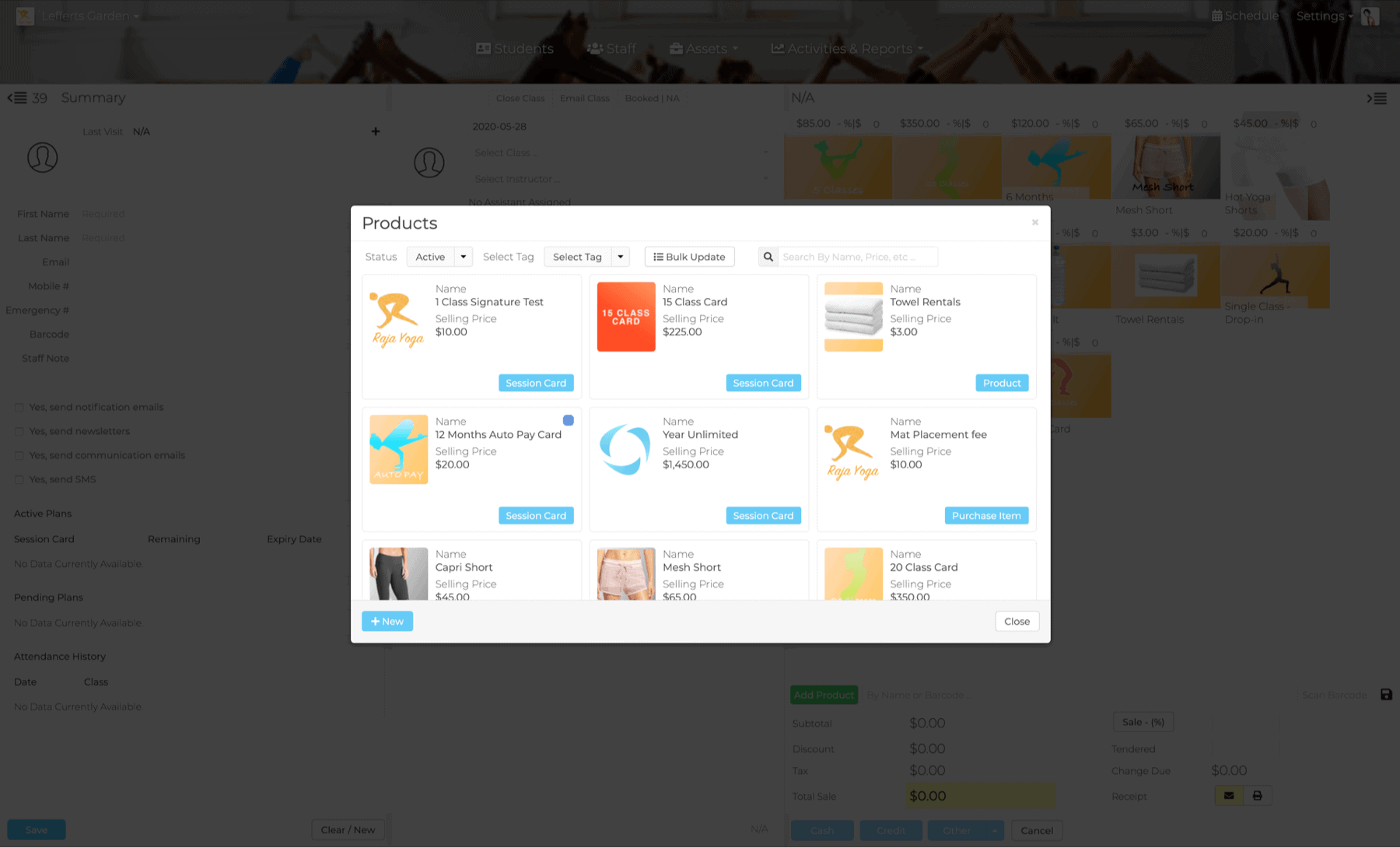
Add a New Product
Step 1: Basic Product data
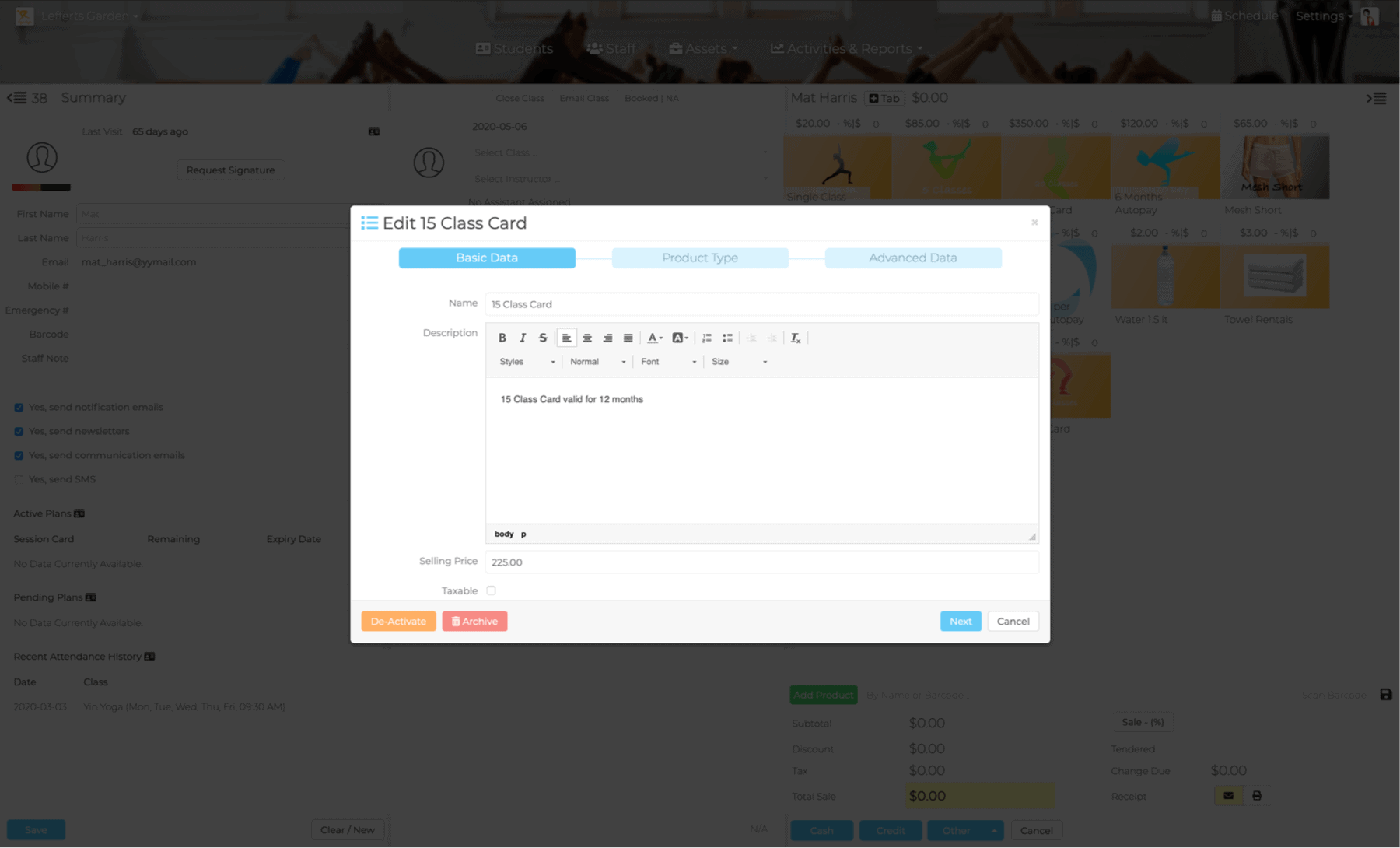
- Click the blue +New button on the lower left.
- Enter basic product informations such as name, description, selling price.
- Click next to select Product type.
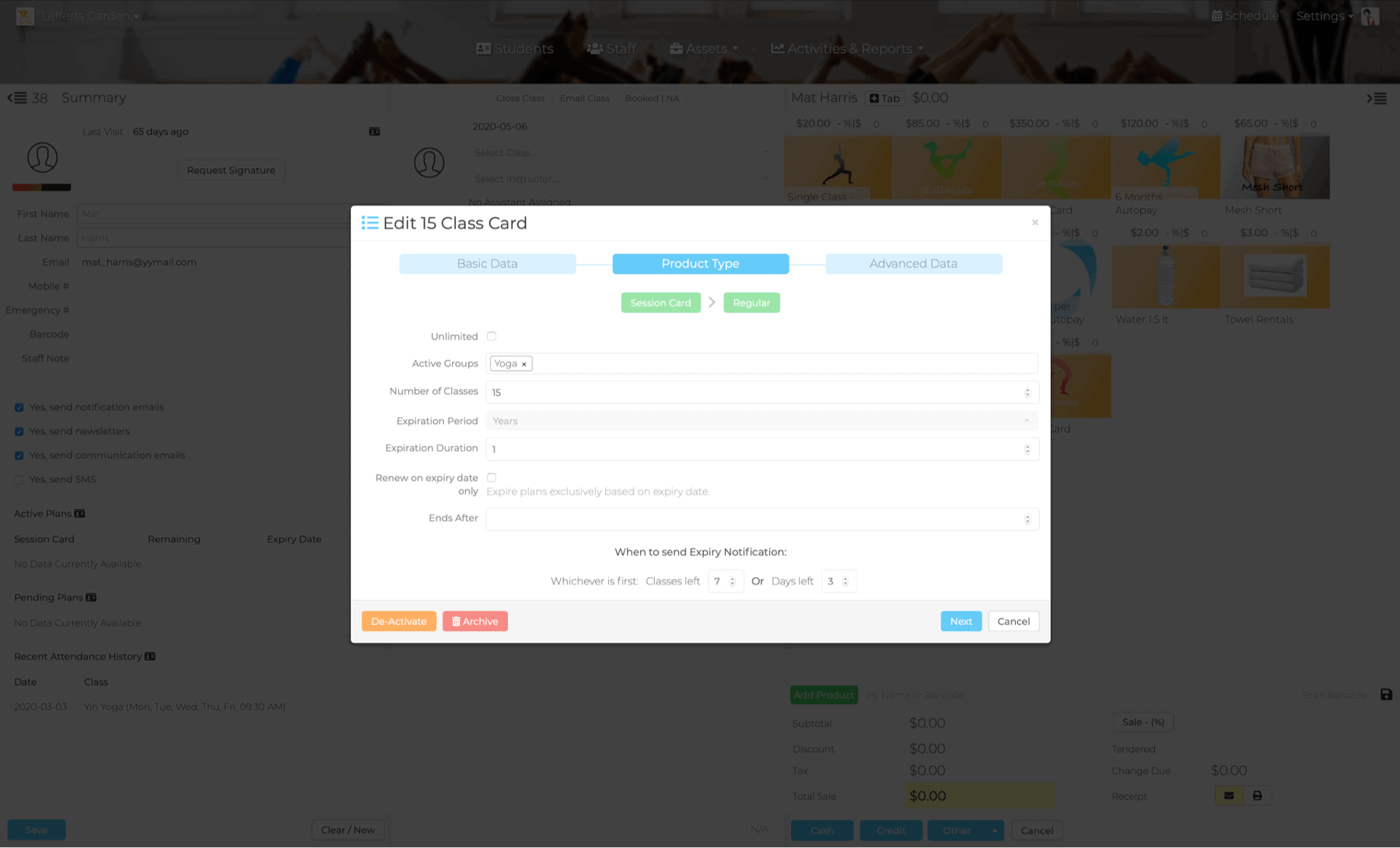
Step 2: Product Type
- Select your product type: Retail Product, Gift Card or Session Card. If Session Card please also select regular or Auto-pay
- Click Next
- Enter the new product information in the appropriate fields.
- Click Next.
Step 3: Complete and Save
- Upload product image
- Check appropriate boxes such as Sell Online, Concealed and First Use Product.
- Set discount parameters, Select Tag, set Category and Mailing list.
- Click Save.